5 Week5 - Google Earth Engine
5.1 Summary of class5
The theoretical part of the course mainly introduced the basic concepts, data structures, operations, and application cases of Google Earth Engine (GEE).
Characteristics of GEE: GEE is a geospatial processing service that utilizes cloud servers to store and analyze massive amounts of remote sensing imagery and geographic data, enabling rapid and large-scale monitoring and simulation of changes on the Earth’s surface.
Data structure of GEE: Data in GEE is divided into two types: Images and Features, corresponding to raster and vector data, respectively. Images and Features can form Collections, representing stacks of multiple images or features. Data in GEE exists in the form of objects, each with its own properties and methods.
Operations in GEE: GEE uses the JavaScript language for coding, which can be run in the browser. The code in GEE is divided into client-side and server-side, with the client-side code mainly used for interface control and interaction, and the server-side code mainly used for data processing and analysis. Data processing in GEE mainly relies on reducers, which can perform various statistical, analytical, and transformation operations on images or features. GEE also provides some advanced features such as regression, joining, and machine learning.
5.2 Application
5.2.1 Example
Google Earth Engine (GEE) is a powerful geospatial processing service that leverages cloud servers to store and analyze vast amounts of remote sensing imagery and geospatial data(Noel Gorelick et al., 2017)1. Its main features include: Rapid Processing ( Capable of quickly and massively monitoring and simulating changes on the Earth’s surface), Diverse Data Types (Supports both raster and vector data, corresponding to images and features respectively), Advanced Functions (Offers advanced data processing capabilities such as regression, joins, and machine learning).
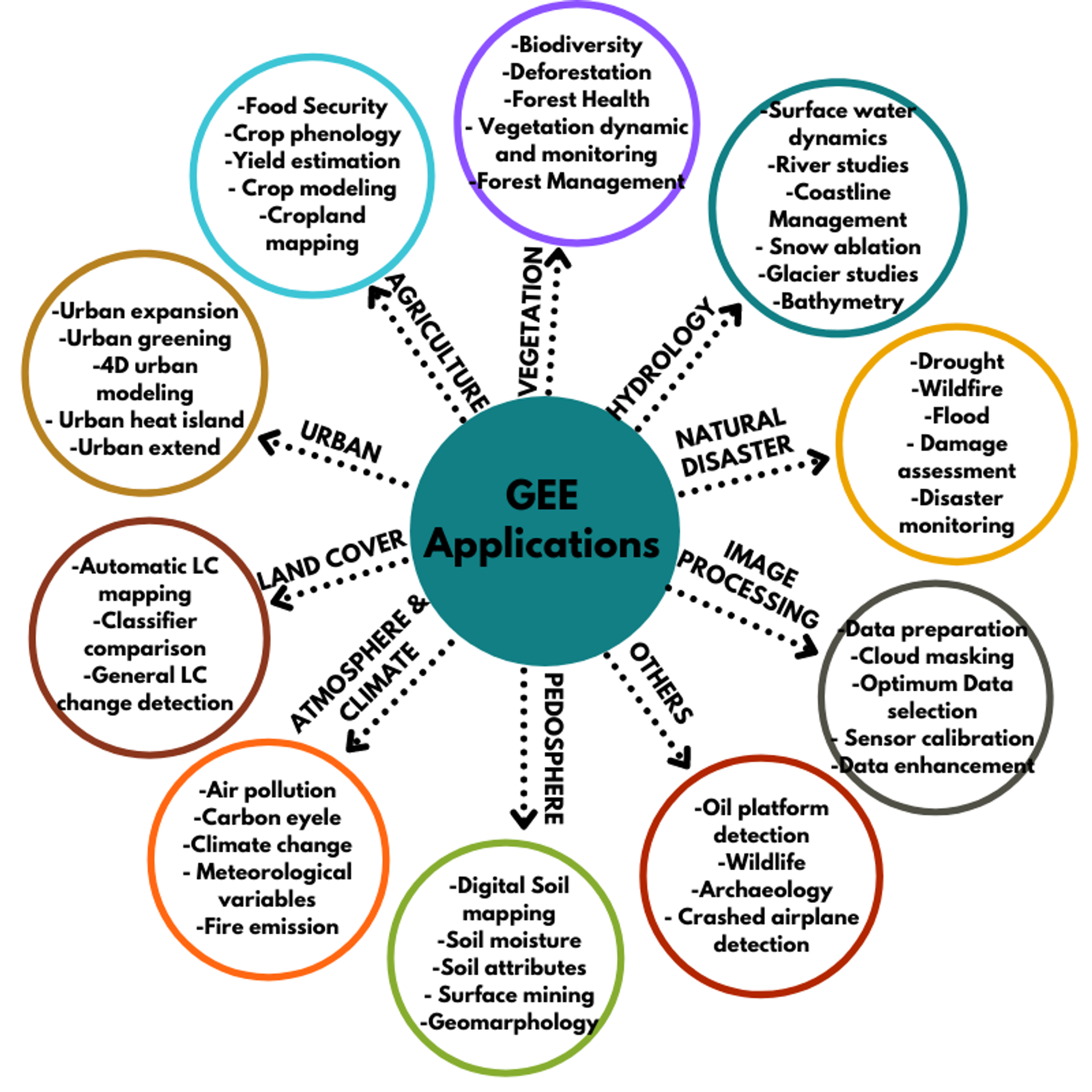
Here’s a summary of the Google Earth Engine (GEE) applications(Rafael Louzeiro, 2021)2:
Remote Sensing: GEE processes remote sensing data, useful for environmental and climate analysis.
Historical Imagery: It stores historical satellite imagery for geospatial analyses, like forest and water coverage.
Data Access: Users can access a vast database of pre-processed datasets and imagery for their own analysis1.
Real-World Applications: GEE is applied in various fields, including vegetation analysis, land cover studies, and natural disaster management.
This picture provides an overview of how GEE can be utilized in environmental science, highlighting its capabilities and benefits.(Meisam Amani et al., 2020)3
5.2.2 Earth Engine Explorer (EE Explorer)
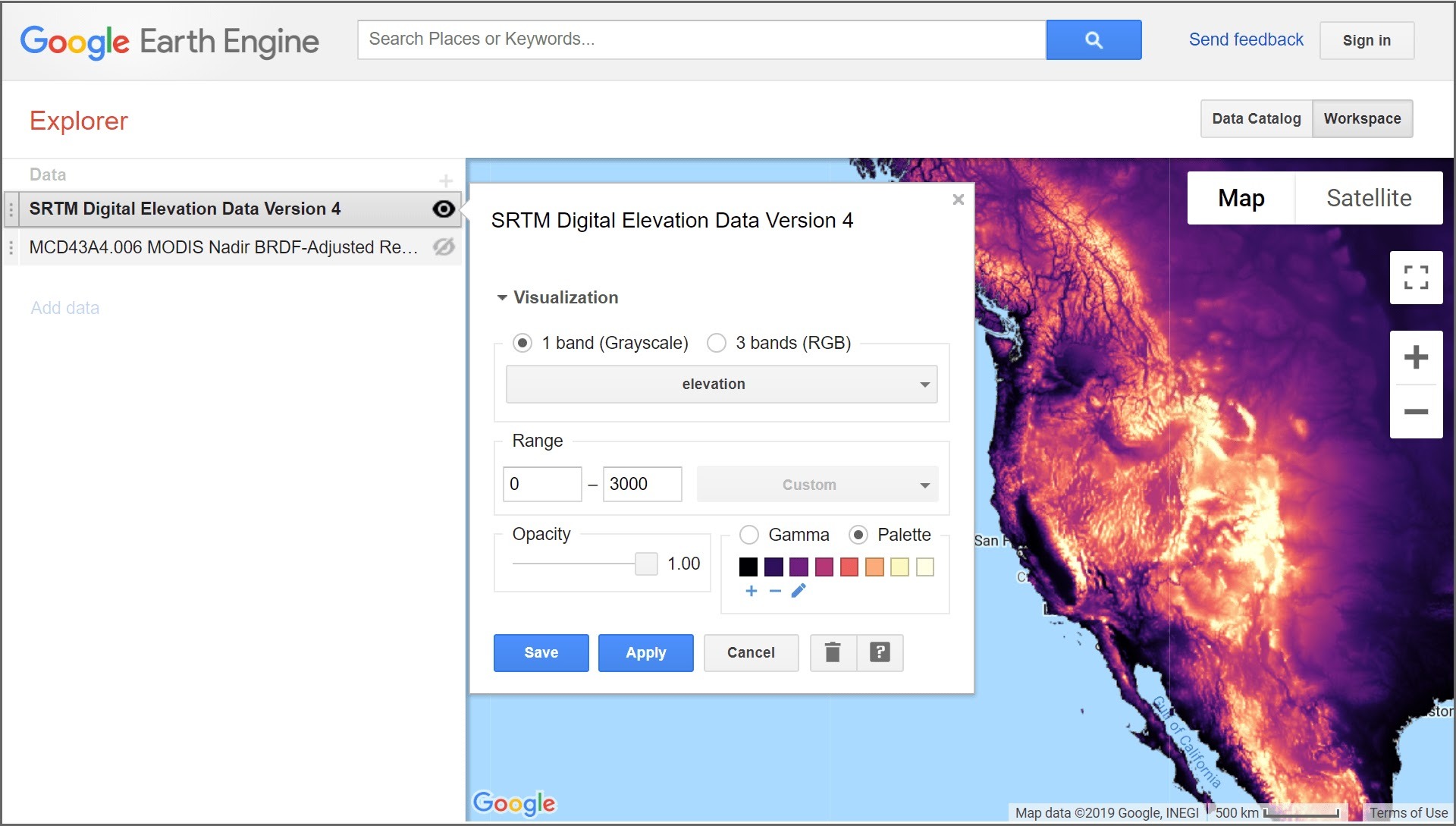
EE Explorer is a lightweight geospatial image data viewer that provides access to a wide range of global and regional datasets from the Earth Engine Data Catalog. It allows users to quickly view, zoom, and pan data anywhere on Earth, adjust visualization settings, and layer data to inspect changes over time( Google Earth Engine, 2024)4.
Components:
Data Catalog: This is where users discover and import datasets. It lists various data types and multi-day mosaics, with descriptions and direct links to datasets.
Workspace: This is where users manage and visualize datasets. It includes a map and a list of data layers. Users can add datasets, adjust visualization settings, and view multiple data layers simultaneously.
Features:
Visualization Settings: Users can adjust visualization parameters such as range, gamma, and opacity. Data can be viewed in single-band grayscale, single-band pseudo-color, and three-band RGB.
Change Over Time: Users can visualize changes over time by adding the same dataset as two separate layers and setting them to show different time slices.
Google Earth Engine: For more advanced features like classifying land cover, downloading datasets, and building data analysis algorithms, users can sign up for Google Earth Engine.
Getting Started with EE Explorer: There are several tutorials available to help us get started. These tutorials cover everything from basic navigation to advanced data visualization techniques. We can explore these resources through the following link:
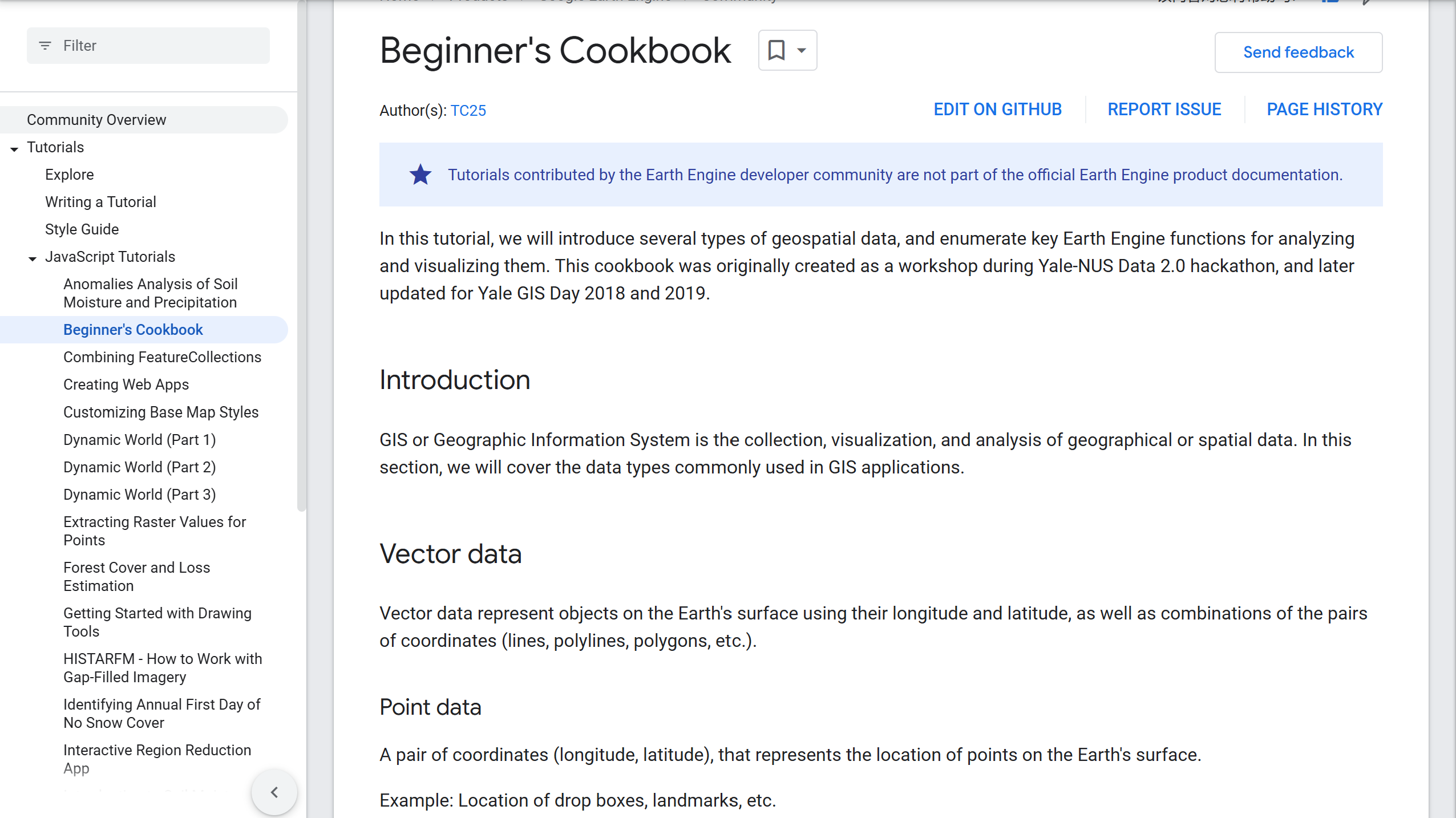
By following these tutorials, users can become familiar with the interface, learn how to access and visualize various datasets, and understand how to utilize EE Explorer’s features for their specific needs.
5.3 In the practical exercises section, I learned
Advanced pixel-level image transformations: How to perform Principal Component Analysis (PCA) and Tasseled Cap transformations in GEE, which are methods for dimensionality reduction and feature extraction used for image classification and change detection in remote sensing imagery.
GEE applications and data catalog: GEE can also create interactive visualization applications to showcase interesting and useful remote sensing analysis cases. GEE also provides a vast data catalog, including high-resolution satellite imagery, air pollution data, administrative boundaries, and other datasets.
5.4 Reflection
Reflecting on this week’s learning, I delved into the CASA0025: Building Spatial Applications with Big Data course, which shares similarities with our remote sensing syllabus!!! The collaboration between the two courses’ instructors is a testament to the interdisciplinary nature of these fields. It’s enlightening to see how knowledge from both domains can be integrated and enhance our understanding.
One aspect of GEE that stands out to me as particularly user-friendly, especially for engineers and scholars, is the accessibility of remote sensing data. Unlike proprietary data, GEE offers a wealth of openly available geospatial information. All that’s required is to pinpoint the specific time and location of interest and retrieve the corresponding API. This approach to data sharing is not only equitable but also fosters a spirit of community and collaboration within the field.
5.5 References
Gorelick, N., Hancher, M., Dixon, M., Ilyushchenko, S., Thau, D., & Moore, R. (2017). Google Earth Engine: Planetary-scale geospatial analysis for everyone. Remote Sensing of Environment. DOI:https://doi.org/10.1016/j.rse.2017.06.031↩︎
Rafael Louzeiro – GIS/Environmental Specialist, Google Earth Engine – How it can be used in Environmental Science1, Jun 3, 2021, Integrate Sustainability Pty Ltd, https://www.integratesustainability.com.au/2021/06/03/google-earth-engine-how-it-can-be-used-in-environmental-science/↩︎
Meisam Amani, Senior Member, IEEE, Arsalan Ghorbanian , Seyed Ali Ahmadi , Mohammad Kakooei , Armin Moghimi , S. Mohammad Mirmazloumi, Student Member, IEEE, Sayyed Hamed Alizadeh Moghaddam , Sahel Mahdavi, Masoud Ghahremanloo, Saeid Parsian, Qiusheng Wu. 2020. Google Earth Engine Cloud Computing Platform for Remote Sensing Big Data Applications: A Comprehensive Review. IEEE JOURNAL OF SELECTED TOPICS IN APPLIED EARTH OBSERVATIONS AND REMOTE SENSING, VOL. 13,.↩︎
Google Earth Engine (2024) ‘Introduction to Google Earth Engine’, Google Earth Engine. source: https://www.google.com/earth/outreach/learn/introduction-to-google-earth-engine (Assessed day: September 1st, 2024).↩︎